Until recently, improving an automation meant a person noticed a problem, opened the workflow, changed a rule, and tested it. That was slow, but ownership was obvious. Now AI automations can evaluate their own outcomes and propose changes to prompts, tools, and execution steps. The workflow is no longer just doing the work. It is participating in the redesign of the work.
That shift became concrete on October 28, when GitHub announced that Copilot Automations could learn from outcomes and propose improvements for a person to approve or reject. The same release wave added shared workflows, cloud execution, new triggers, tools, and cost controls. This is a developer product, but the business lesson is broader: self-improvement is moving from research demos into software teams actually use.
The Important Change Is the Feedback Loop
A traditional automation follows a fixed recipe: when a lead submits a form, enrich the record, assign an owner, and send a response. If the enrichment fails or the response performs poorly, the workflow keeps repeating the same mistake until somebody investigates.
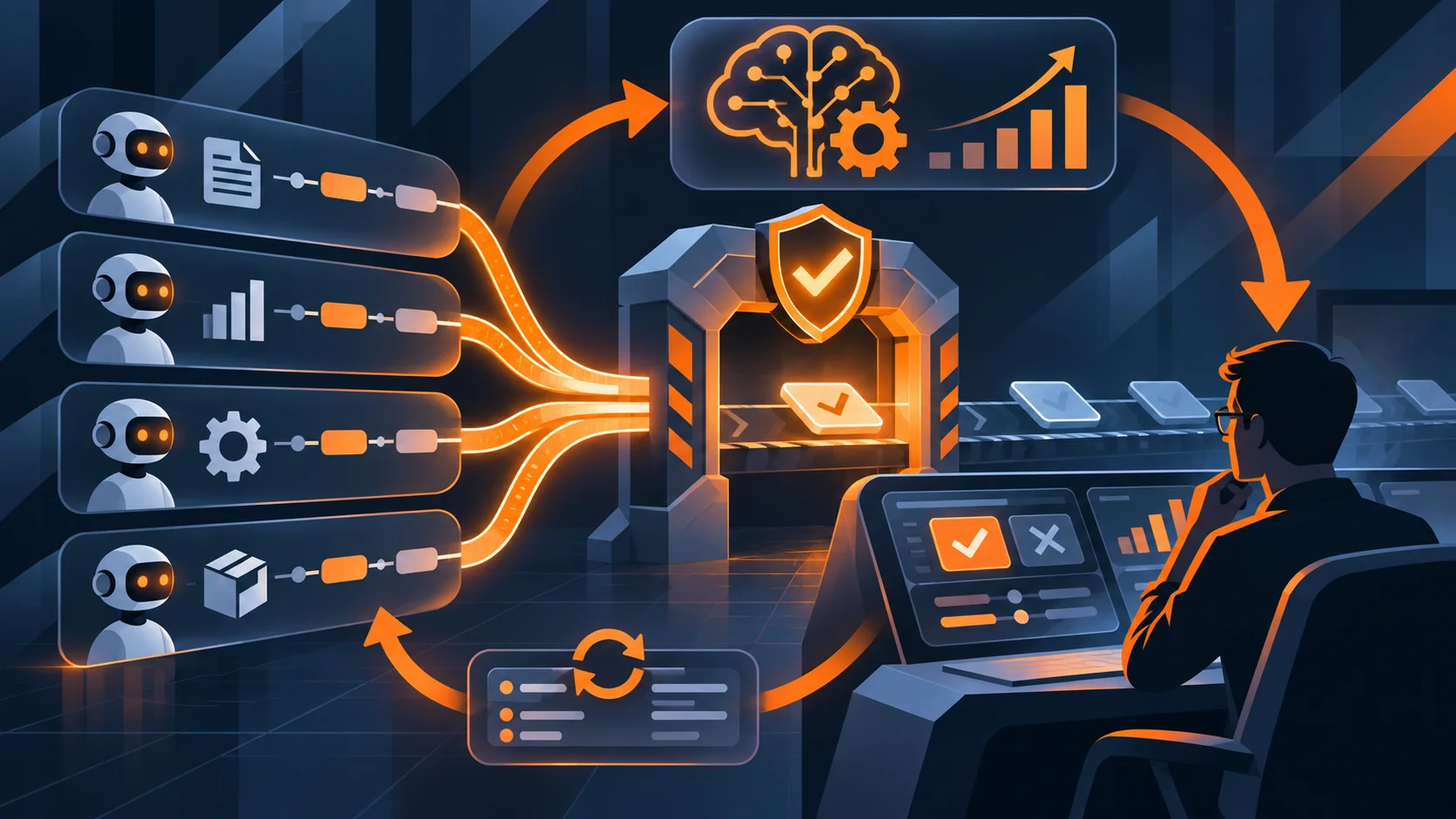
A self-improving automation adds a feedback loop. It can inspect outcomes, compare them with a target, and suggest a modification. A customer-support workflow might notice that one response template leads to more follow-up questions. A sales workflow might see that a qualification rule sends too many weak leads to a rep. A coding workflow might observe that a validation step catches a recurring defect and propose moving that check earlier.
The phrase self-improving can sound more autonomous than the current reality. GitHub's documented feature proposes improvements that users approve or reject; it does not grant an automation unlimited authority to rewrite itself silently. That distinction is the model small businesses should copy.
Think of the system as an analyst with a standing assignment, not an executive with an unlimited mandate. It should surface patterns people miss, explain the evidence, and reduce the effort required to test an idea. Your team still defines what “better” means, which tradeoffs are acceptable, and when a change earns the right to become the new default.
A Better Workflow Can Still Become a Worse Business Process
An AI system optimizes what you measure. If you reward faster ticket closure, it may favor short answers that close tickets without solving the customer's problem. If you reward booked meetings, it may loosen qualification until calendars fill with poor prospects. If you reward lower handling cost, it may escalate too little.
This is the same reason your AI agent governance cannot be a generic policy PDF. The control must live inside the workflow. Every optimization target needs a counter-metric: speed with satisfaction, bookings with show rate, automation rate with error rate, and cost with customer impact.
There is also a permissions problem. In October, Microsoft announced Copilot Studio agent accounts, which let managed agents use their own approved credentials and scoped permissions, alongside business-process memory and triggers. Microsoft said the capabilities were rolling out through its Frontier program. Whether you use Microsoft, GitHub, or a no-code platform, persistent identity makes the audit question unavoidable: which automation changed what, using whose access, and who approved it?
Use a Four-Gate Control Loop
You do not need an enterprise risk department. You need four gates that separate observation from production change.
- Observe: Let the automation collect a bounded set of outcome data: failures, completion time, human corrections, conversion, or customer rating.
- Propose: Require a plain-English change request showing the current behavior, proposed behavior, evidence, expected benefit, and possible downside.
- Test: Run the proposed version against historical cases or a small traffic sample. Compare it with the current version using predeclared success and safety metrics.
- Approve: A named owner accepts or rejects the change. High-impact actions—payments, customer promises, deletions, permission changes, and regulated decisions—always require human approval.
This structure is an extension of the approval inbox pattern: the AI can do the analysis, but a person retains decision rights at the point where business risk becomes real.
Make the proposal readable
Do not ask an owner to review raw prompt diffs or dozens of execution logs. The approval card should say: “Change the follow-up delay from 24 hours to four hours because 63 recent leads who received an earlier reply were more likely to respond. Test on 20% of new leads for seven days. Stop if unsubscribe rate rises by more than one percentage point.” That is specific enough to evaluate and narrow enough to reverse.
Give Every Automation a Change Budget
A financial budget limits spend. A change budget limits how much an automation may alter at once. Start with three dimensions:
- Scope: which prompts, rules, tools, or steps may change;
- Magnitude: how large a change can be in one release;
- Frequency: how often changes may reach production.
For a low-risk internal summary, you might allow weekly prompt changes after a spot check. For a customer-facing quote, you might permit wording changes but prohibit changes to pricing logic. For an accounts-payable workflow, the automation could recommend a new duplicate-detection rule but never change approval thresholds or initiate payment without a person.
Cost belongs in the budget too. GitHub's October release specifically added cost controls to Copilot Automations. Small businesses should set per-run, daily, and monthly limits wherever the platform allows it. If your automation uses a flexible platform such as Make.com, log operations and AI usage alongside business outcomes so a “better” workflow does not quietly become uneconomic.
Keep an Audit Trail You Can Actually Use
For every proposed and deployed improvement, record the version, proposer, evidence window, approver, test result, deployment time, and rollback point. Also retain the rejected proposals. Rejections reveal where the system's optimization logic conflicts with business judgment.
Then review the log on a cadence matched to risk. Weekly is reasonable for customer-facing or revenue workflows. Monthly may be enough for internal summaries. After any incident, use the process in the AI agent incident-response playbook: stop the workflow, preserve evidence, revoke or narrow access if needed, restore the last known-good version, and document the cause.
Rollback must be a button, not a project. Keep the previous configuration deployable, and define an automatic stop condition before the test begins. Examples include a spike in errors, unexpected tool use, a cost threshold, a complaint, or a material drop in a counter-metric.
A Practical Starting Plan for This Week
Choose one automation that already produces measurable outcomes and has low downside. Good candidates are internal report generation, lead routing recommendations, meeting follow-up drafts, or knowledge-base maintenance. Avoid payroll, payments, legal decisions, and unsupervised customer commitments for your first experiment.
- Name one business owner and one technical owner.
- Write the primary target and at least one counter-metric.
- Define what the automation may propose changing—and what is permanently out of bounds.
- Create a standard proposal card and an approval queue.
- Test changes on historical data or limited traffic.
- Store versions and practice a rollback before the first live change.
The opportunity is real: automations that learn from outcomes can improve without waiting for a quarterly rebuild. But the winning operating model is not “let the AI optimize everything.” It is “let the AI find opportunities, prove the case, and make the decision easy for an accountable human.”
Build an Automation That Improves Without Escaping Your Control
Apollo Intelligence designs practical AI workflows with approval gates, audit trails, cost limits, and rollback plans built in.
Book a Free Strategy Call at apolloagent.ai