AI agents have crossed an important line. The useful question is no longer, "Can this tool answer a question?" It is, "What should this tool be allowed to do inside your business?" OpenAI's July launch of ChatGPT Work, Google's expanded Managed Agents in the Gemini API, and Anthropic's recent public-sector Claude case study all point in the same direction: AI is moving from chat windows into apps, files, browsers, workflows, and background tasks.
That is good news if you run a small business with too much manual coordination. It is also a new operational risk. An agent that can update a spreadsheet, draft a client email, search your Drive, call an API, or run a scheduled task needs the same kind of management you would give a junior employee: clear permissions, spending limits, review rules, and a record of what happened.
Why This Shift Matters Now
ChatGPT Work is a clean example of the shift. OpenAI describes it as an agent for longer, more involved tasks that can research and analyze information, work across connected apps and files, and create finished documents, spreadsheets, presentations, reports, and Sites. Its release notes also say Work can run Scheduled Tasks once, on a recurring schedule, or when a trigger occurs. That is not a smarter autocomplete box. That is workflow execution.
Google is pushing the same idea from the developer side. In July, Google announced expanded Managed Agents in the Gemini API with background execution, remote MCP server integration, custom function calling, and credential refresh. In plain English, a developer can put an agent in an isolated cloud environment, give it selected tools, let it work asynchronously, and reconnect later when the job is done. Google's June roundup also highlighted computer use in Gemini 3.5 Flash for agents that can see, reason, and take action across desktop, mobile, and browser environments.
Anthropic's Alberta government case study shows what happens when agents are treated as controlled workers instead of magic boxes. Alberta used Claude Code with Opus and Sonnet models to review 466 million lines of code in roughly 20 hours, with about 50 agents working in parallel. The important detail for business owners is not the code count. It is the operating model: agents flagged issues, cited exact files and lines, generated fixes where appropriate, and humans reviewed before patches shipped.
If you already read our breakdown of ChatGPT Work and workplace AI agents, this is the next layer. Once an agent can do real work, governance stops being an enterprise luxury. It becomes the difference between useful automation and expensive chaos.
Start with Permissions, Not Prompts
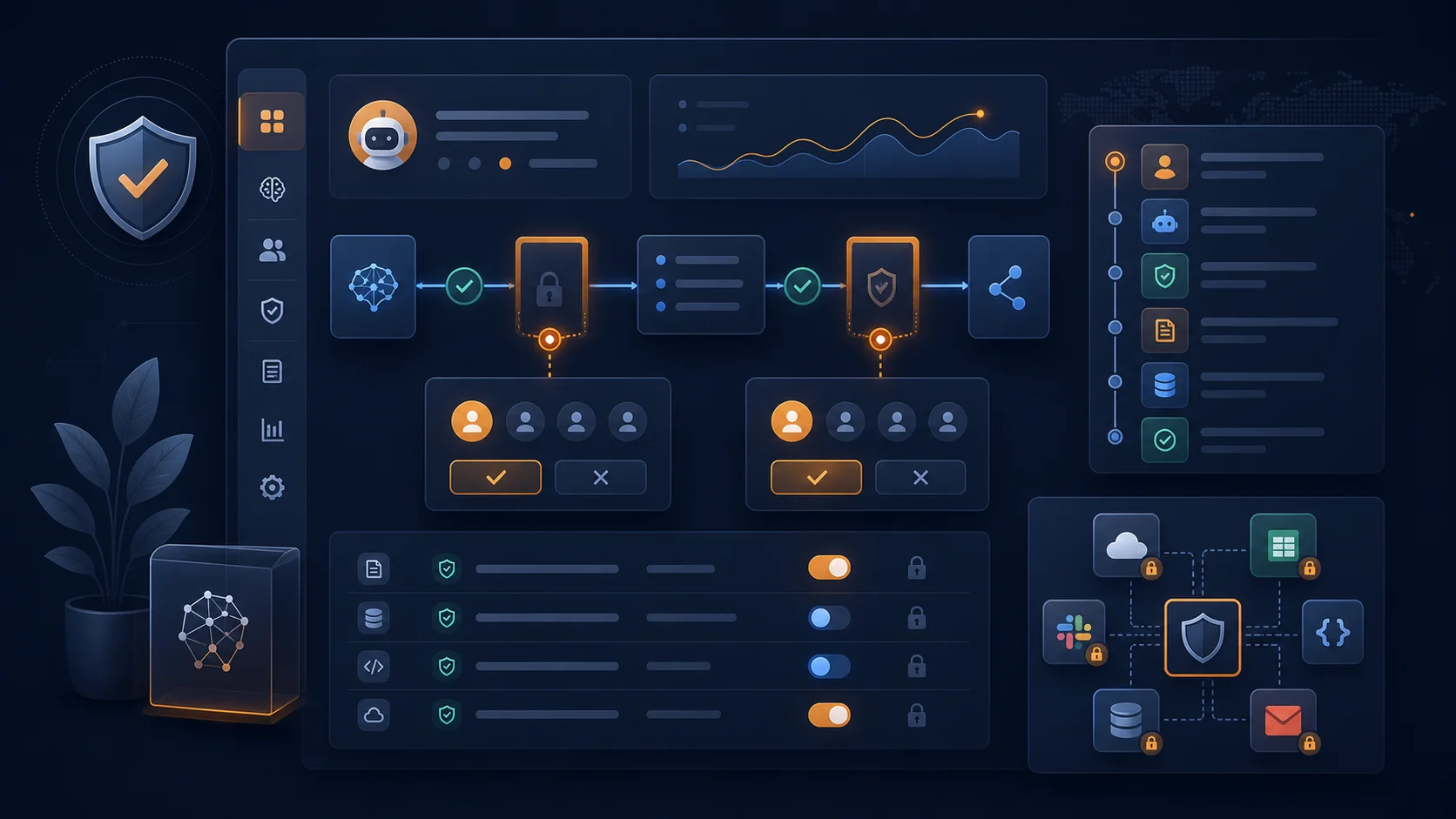
Most teams still start AI projects by writing prompts. For agents, that is backwards. The first design question is access: which systems can the agent see, and which systems can it change? A research agent might need read-only access to Google Drive, a CRM, and Slack. It probably does not need permission to send invoices, delete records, invite external users, or publish public content.
A simple permission ladder works well for small businesses:
- Read-only: the agent can search, summarize, classify, and draft from approved sources.
- Draft-only: the agent can prepare emails, documents, spreadsheet updates, tickets, or proposals, but a human sends or commits them.
- Limited action: the agent can take low-risk actions, such as creating internal tasks, updating non-financial status fields, or sending reminders.
- High-risk action: anything involving money, contracts, customer-facing communication, permissions, HR decisions, or production systems requires explicit approval.
This is where the AI vendor evaluation checklist becomes practical. When you evaluate an agent platform, ask whether admins can scope app access by user, group, role, connector, or workspace. Ask whether browser use and network access can be restricted. Ask whether the platform records tool calls and approvals. If the answer is "trust the agent," keep looking.
Treat Agent Pricing Like Cloud Spend
Agent pricing is also changing. OpenAI's Enterprise and Edu release notes say ChatGPT for Excel/Sheets tasks and Workspace Agent runs use token-based credit pricing for eligible workspaces, based on input tokens, cached input tokens, and output tokens rather than a fixed credit cost. That matters because agents can consume more resources than chat: they read files, call tools, retry steps, create assets, and keep context across a multi-step task.
Small businesses should manage this like lightweight cloud spend. Set a monthly agent budget. Give different limits to experiments, production workflows, and admin-approved high-value tasks. Review the top five most expensive runs every week during rollout. If a task costs more than the human time it saves, simplify the workflow before scaling it.
A practical example: a weekly sales-report agent might read CRM updates, summarize new pipeline risk, update a slide, and send the draft to the sales manager. That may be worth a few dollars per run if it saves an hour of work and improves forecast quality. A daily agent that reads the entire Drive because nobody scoped its folder access is just a bill generator with a nice interface.
Put Approval Gates Around Customer Impact
The cleanest rule is this: agents can prepare; humans approve when the action affects customers, cash, compliance, or access. That includes sending client emails, issuing refunds, changing prices, signing contracts, updating payroll, publishing ads, granting permissions, or modifying production data. You can make exceptions later, but start with the obvious bright lines.
Approval gates do not have to slow the team down. In many workflows, the agent can do 80% of the work before the human gets involved. It can gather context, draft the customer response, attach the supporting notes, recommend the next action, and surface the risk. The human approval step becomes a two-minute decision instead of a thirty-minute scavenger hunt.
For workflow automation, use a tool like Make.com to separate "prepare" steps from "execute" steps. For example, an agent can create a draft invoice adjustment, post it to a manager for review, and only trigger the accounting update after approval. That pattern is boring, which is exactly why it works.
Need agents that work without creating a mess?
We design AI automation systems with clear permissions, human review points, and measurable ROI. Book a free 30-minute call and we'll map the safest first workflow for your business.
Book a Free Strategy Call →Audit Trails Are Your Safety Net
When an agent touches business systems, you need a record of what it saw, what it changed, what tool it used, and who approved the action. This is not just for regulated industries. It is basic operational hygiene. If a customer asks why they received a certain email, your team should be able to reconstruct the agent's source material and approval path.
OpenAI's ChatGPT Work announcement highlights admin controls for access, company context, connected tools, and actions, plus Compliance API visibility for Enterprise oversight. Google emphasizes isolated cloud sandboxes for managed agents. Anthropic's Alberta example describes agents citing exact file and line references so engineers could verify findings. Different platforms, same lesson: visibility is part of the product, not paperwork you add later.
Your minimum audit trail should include five fields: task owner, connected sources, actions taken, approval status, and final output. Keep that trail where your team already works: your project tracker, CRM notes, help desk ticket, or an internal log. The point is not bureaucracy. The point is being able to trust a workflow after the person who built it is on vacation.
A Starter Policy You Can Use This Week
If you are rolling agents into a small business, start with a one-page policy before you buy another tool. Define approved use cases, approved data sources, actions that require approval, monthly spend limits, and the person responsible for reviewing logs. Keep it short enough that managers will actually read it.
For the first 30 days, pick one workflow with low external risk and high internal time cost. Good candidates include weekly reporting, meeting follow-up, internal knowledge-base cleanup, sales research, project-status summaries, and first-draft SOP creation. Avoid payroll, legal commitments, hiring decisions, customer refunds, and production access until you have logging and review habits in place.
Then measure the work like any other operational system. Track minutes saved, error rate, approval rate, exceptions, and average cost per completed task. Our guide to measuring ROI on AI investments gives you the formulas, but the principle is simple: an agent is valuable when it reliably turns a recurring business goal into finished work at a lower total cost than the old process.
AI agents are becoming capable enough to deserve real responsibility. That does not mean you hand them the keys to the business. It means you define the job, limit the tools, require approval where judgment matters, and check the work. Do that, and agents become practical leverage. Skip it, and the same technology becomes one more thing your team has to manage.