The important AI news this week is not another benchmark chart. It is that agents are being packaged for normal business work. OpenAI's July launch of workspace agents in ChatGPT described agents that can pull Friday metrics, generate charts, draft a narrative, and deliver a weekly business report. Its Help Center now documents write-action safety, access levels, editor permissions, owner-only controls, and Slack deployment restrictions. That is the right signal: these tools are moving from impressive demos into governed office workflows.
Google Workspace is moving in the same direction from the other side. Recent Workspace Updates show Gemini features continuing to land inside tools people already use, including AI video features in Google Vids and Gemini Beta program updates for staged releases. Anthropic's July Claude Opus 5 announcement framed the model around professional work, knowledge work, and business automation benchmarks. The market is telling business owners the same thing from three angles: AI is becoming less of a separate tab and more of an operating layer inside the apps your team already opens every day.
What Changed: Agents Are Becoming Administered Software
The first wave of business AI was personal productivity. Someone wrote a better email, summarized a document, or turned a rough outline into a proposal. Useful, yes, but mostly individual. The next wave is workflow productivity: an agent follows a repeatable process across files, calendars, dashboards, tickets, and CRM records, then hands a finished draft or task packet to the right person for approval.
That shift matters because workflows have consequences. A reporting agent might see sensitive financial data. A sales agent might draft customer-facing messages. A recruiting agent might summarize candidates. The tool is no longer just helping one employee think; it is touching company systems. That is why the admin controls in OpenAI's workspace-agent materials are more important than the demo itself. Off by default, role-based access, and clear enablement are boring details, but boring details are what make AI usable in a real business.
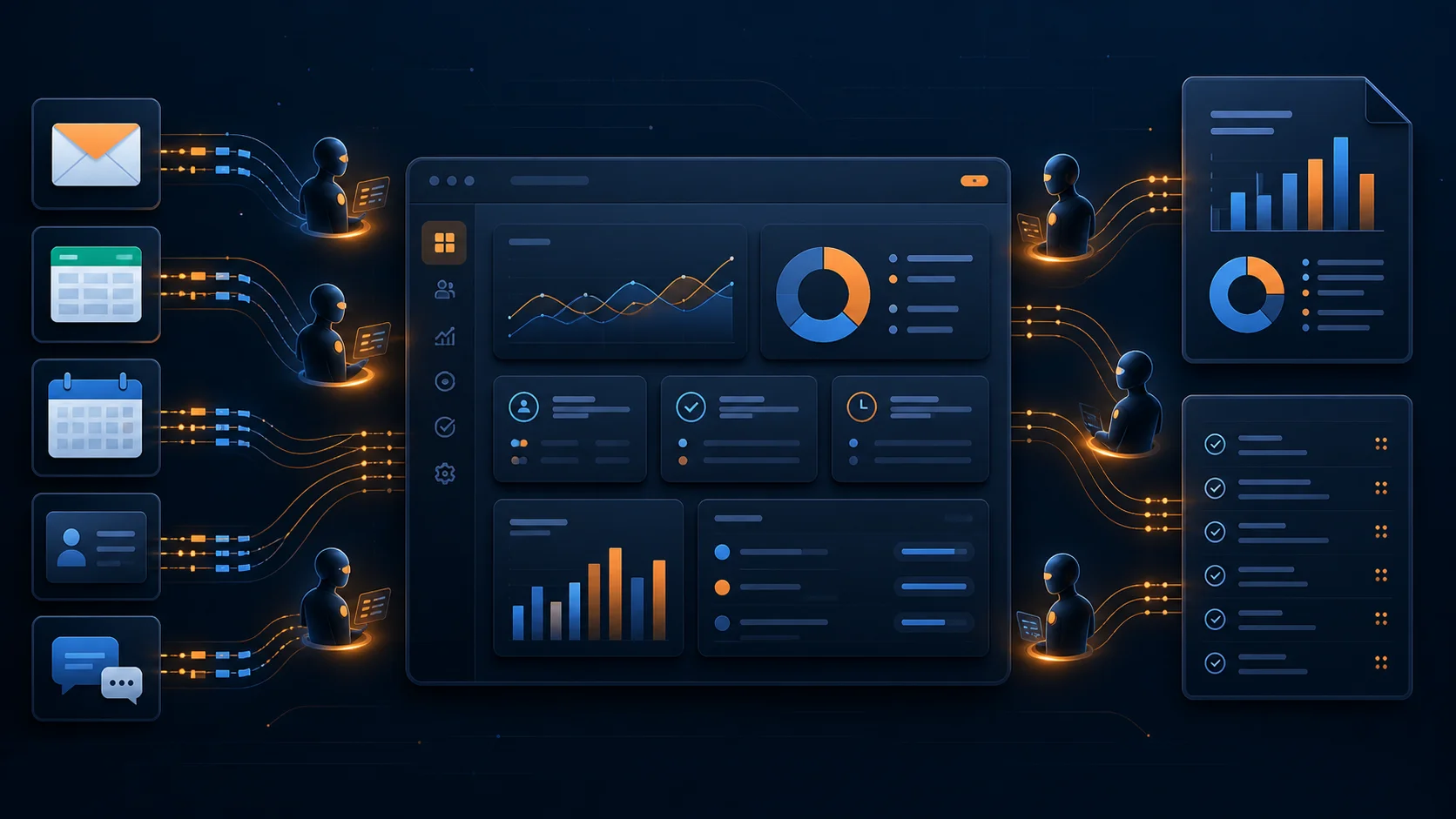
Where Workspace Agents Actually Fit
Think of an agent as a junior operations coordinator with software access, not as an autonomous executive. It can gather inputs, follow a checklist, produce a first draft, flag exceptions, and update low-risk records. It should not independently make commitments that affect customers, employees, cash, or compliance.
For a small business, the best starting point is usually a workflow that already happens every week and already has a human reviewer. Weekly sales reporting is a clean example. The agent pulls numbers from the CRM, ad platform, calendar, and project board, then writes a summary: leads created, calls booked, deals won, deals stalled, and follow-ups due. Your sales lead checks the work, corrects the interpretation, and sends it. The agent saved the drudgery without owning the judgment.
This is the same operating principle we covered in the workplace AI agent pilot playbook: pick a task with a clear trigger, known inputs, repeatable steps, measurable output, and a natural review point. If you cannot describe those five pieces, you are not ready to automate that workflow yet.
What Owners Should Automate First
1. Weekly reporting packets. This is the safest high-value use case because the output is informational. Have the agent gather dashboard screenshots or exported numbers, draft a plain-English summary, and list anomalies. The human owner still decides what the numbers mean. If you already use Make.com, use it to schedule the data handoff and let the agent handle synthesis.
2. Sales and account briefs. Before a call, an agent can assemble CRM notes, recent emails, support history, website changes, and open tasks into a one-page brief. The rep walks in with context instead of searching five systems. Nothing gets sent to the customer automatically, so the risk is low and the time savings are immediate.
3. Inbox and ticket triage. Agents can classify requests, draft replies, find related orders or account records, and route the issue to the right owner. The business benefit is speed. The quality control is that the reply remains a draft until a person approves it. That balance keeps you from turning customer support into a black box.
4. Document-to-task workflows. Meeting transcripts, vendor emails, contracts, and onboarding packets all contain tasks that get lost. An agent can extract action items, assign suggested owners, and prepare updates in your project system. This pairs well with the approach in our AI meeting automation guide, where the goal is not better notes; it is fewer dropped commitments.
The Approval Gates You Need
Every agent workflow should be sorted into three lanes. The first lane is read-only: summarize, compare, prepare, and flag. The second lane is draft-only: write the email, prepare the invoice note, create the task list, or update a spreadsheet draft. The third lane is write-access: send, submit, change, approve, charge, refund, hire, reject, or delete. Most early pilots should live almost entirely in the first two lanes.
The rule is simple: any workflow involving money, legal obligations, employee decisions, customer commitments, or irreversible system changes needs human approval. That does not make the agent weak. It makes the workflow durable. If you want a deeper framework, our guide to AI agent governance for small businesses breaks down permissions, pricing exposure, and approval gates in more detail.
Also pay attention to product boundaries. Google Workspace features roll out by domain and plan, often with Rapid Release and Scheduled Release timing. OpenAI workspace agents are an enterprise-controlled feature. Anthropic's Claude capabilities vary by product surface and plan. Do not build your operating process around a feature until you verify it exists in your actual workspace, for your actual users, with your actual admin settings.
A Practical 30-Day Pilot
Start with one workflow, one owner, and one metric. For example: reduce weekly sales-report prep from two hours to 30 minutes without lowering accuracy. Week one is mapping: document the current trigger, inputs, systems, output, reviewer, and failure modes. Week two is build: connect the sources, write the instructions, and define what the agent may and may not do. Week three is shadow mode: run the agent alongside the old process and compare the output. Week four is production with review: the agent prepares the packet, the owner approves it, and you measure time saved plus corrections needed.
The correction log is the part most teams skip. Track what the agent missed, what it misunderstood, which sources were stale, and where instructions were vague. After ten real runs, you will know whether the workflow is worth keeping. If the reviewer spends more time fixing the output than doing the work manually, narrow the task. If the output is reliable, expand one step, not ten.
The Bottom Line
Workspace agents are becoming part of business software, but the advantage will not go to the company with the most tools. It will go to the company with the clearest workflows. Give agents narrow jobs, clean data, limited permissions, and a human owner. Let them prepare work before you let them perform work.
The current product news from OpenAI, Google, and Anthropic points in the same direction: AI is moving closer to where work happens. Your job is to decide where that helps your business this month, not someday. Start with a reporting packet, a sales brief, a ticket triage process, or a meeting-to-task workflow. Measure it. Keep the approval gate. Then expand only when the evidence says the process is ready.
If you want help choosing the first workflow, book a free strategy call at apolloagent.ai. We will map one practical workspace-agent pilot for your business, define the approval gates, and show you what it would take to build it without adding chaos to your team.