Workplace AI agents have crossed an important line. They are no longer just chat windows that summarize text or answer questions. The newest products are trying to complete work across files, browsers, calendars, email, cloud storage, and internal systems while you review the important decisions.
That shift matters because most small businesses do not need another AI tool to experiment with on Fridays. You need a practical stack: one place for individual work, one layer for repeatable operations, and one governance model that keeps agents from wandering through your business with too much access.
The news this month makes the direction clear. OpenAI announced ChatGPT Work on July 9, Anthropic expanded Claude Cowork to web and mobile on July 7, and Google Cloud's Gemini Enterprise Agent Platform documentation now puts build, scale, govern, and optimize into one agent lifecycle. The takeaway is not "buy everything." The takeaway is that you should design your first workplace agent stack on purpose.
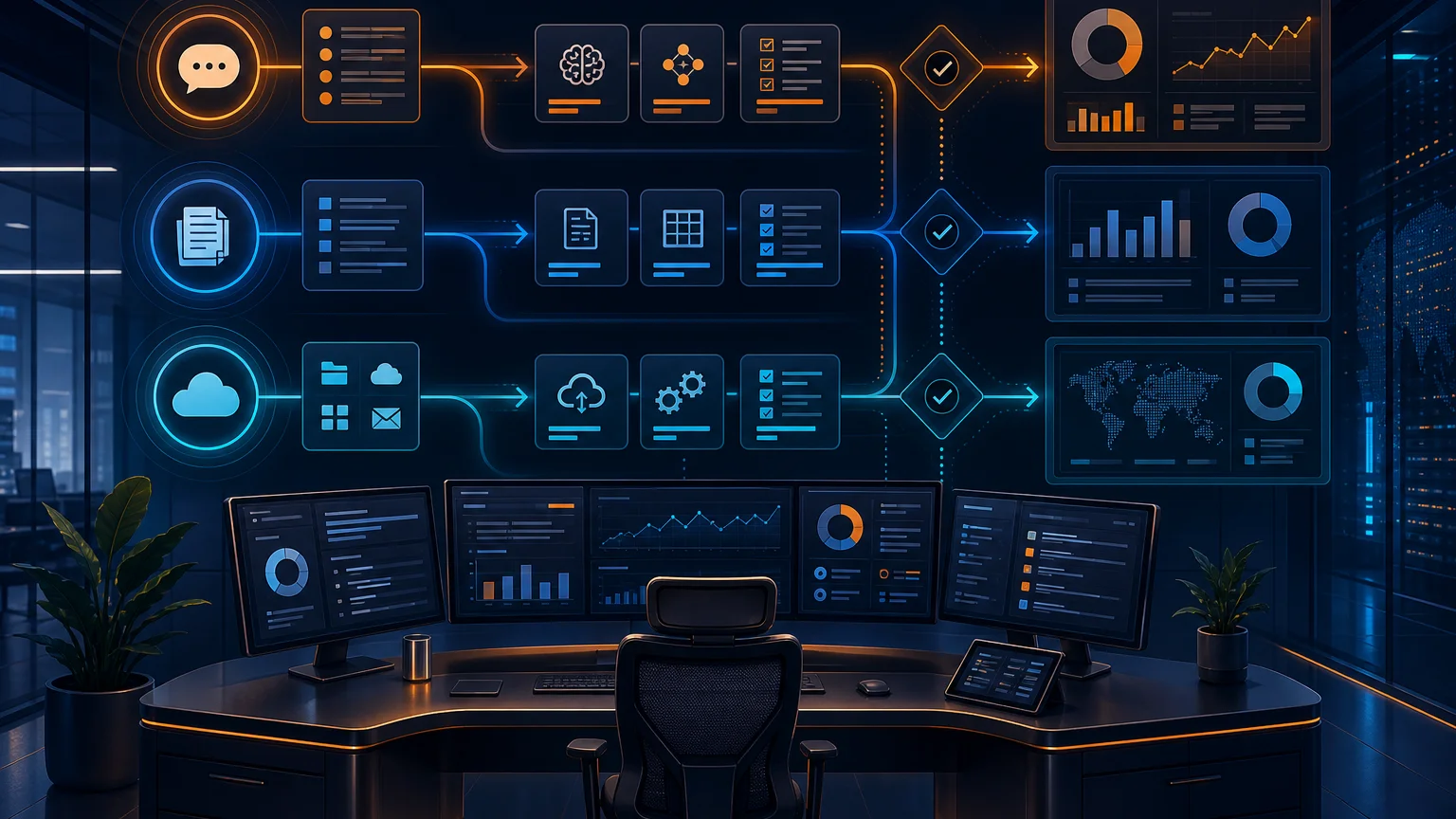
What Changed: Agents Are Moving From Answers to Outcomes
For the last two years, most business AI adoption has lived in the "ask and copy" workflow. Ask ChatGPT for an email. Copy it into Gmail. Ask for spreadsheet advice. Copy the formula into Sheets. Ask for meeting notes. Copy the action items into Asana. Useful, but still manual.
The new agent products are trying to remove that copy-paste middle step. OpenAI describes ChatGPT Work as an agent that can gather information across apps and workflows, create finished materials like sheets, slides, docs, and web apps, and stay with complex projects for hours by breaking them into smaller steps. Its release notes also describe Scheduled Tasks that can run once, repeat on a schedule or trigger, or monitor for changes.
Anthropic's July release notes point in the same direction. Claude Cowork is now available on web and mobile in addition to desktop, with remote sessions saved to your Claude account. Anthropic also added Microsoft 365 write tools that can draft, send, and organize email, manage calendar events, and create or update files in OneDrive and SharePoint after the right admin consent and organization settings are enabled.
Google is coming from the platform side. Gemini Enterprise Agent Platform is described as a unified platform to build, deploy, govern, and optimize enterprise-grade AI agents, with low-code Agent Studio, code-first Agent Development Kit, Agent Identity, Agent Gateway, Model Armor, observability, and evaluation tools.
Put plainly: the major AI companies are converging on the same pattern. Agents need tools. Tools need permissions. Permissions need logs. Logs need review. That is the stack.
Layer One: A Personal Work Agent for High-Context Tasks
Your first layer should be a personal work agent for tasks that require context but low risk: preparing a client briefing, summarizing a sales call, turning messy notes into a proposal outline, comparing vendor documents, or drafting a first version of a weekly report.
This is where ChatGPT Work and Claude Cowork are most immediately useful. They can live closer to your documents, chats, calendars, and browser work than a generic chatbot. That proximity matters. An agent that can see the meeting transcript, the prior proposal, the client's CRM record, and your pricing page can produce a much better draft than a blank chat session.
The rule is simple: start with tasks where a human will review the output before it reaches a customer, employee, vendor, or bank account. A sales rep can ask an agent to prepare a meeting brief. A project manager can ask for a status report from notes and task updates. A founder can ask for a month-end narrative from a spreadsheet and three department updates. You get leverage without giving the agent final authority.
If you want the broader framework for deciding which workflows belong in this layer, read our guide to ChatGPT Work and workplace AI agents. The short version: give the agent context, ask for a finished business artifact, and keep human approval in the loop.
Layer Two: Automation for Repeatable Hand-Offs
The second layer is where most small businesses start getting real operational value. Once a task repeats every week, every lead, every invoice, or every customer onboarding cycle, it should not depend on one person remembering to prompt an AI assistant.
Think about the hand-offs that quietly drain your team: a contact form needs enrichment, qualification, and routing. A discovery call needs a summary, CRM update, follow-up email, and project checklist. A new hire needs accounts, documents, welcome messages, training links, and a calendar sequence. These are not one-off creative tasks. They are workflow problems.
This is where a tool like Make.com still matters, even as native AI agents improve. Agent products are getting better at working inside apps, but a business automation layer gives you explicit triggers, retries, routing rules, data transformations, and predictable hand-offs between systems. For many small businesses, that boring reliability is the difference between a clever demo and a process you can trust.
A good starting automation is the post-meeting workflow. When a call ends, generate a summary, extract decisions, create follow-up tasks, draft the email, and update the CRM. The agent can draft and reason. The automation layer can move the pieces. The human approves the parts that leave the building.
For more on finding these candidates, our AI vendor evaluation checklist gives you the questions to ask before you put a tool near a core workflow.
Layer Three: Governance Before Autonomy
The third layer is the one small businesses are most tempted to skip. Do not skip it.
Governance sounds like an enterprise word, but in practice it means answering five questions: What can the agent see? What can it change? What actions require approval? Who gets notified when something fails? Where can we review what happened?
Google's Agent Gateway documentation is a useful signal because it treats agent governance as infrastructure. It describes centralized policy enforcement for interactions between users and agents, agents and tools, and agents with each other. It also calls out least-privilege permissions, observability, and protection against risks such as prompt injection and sensitive data leakage through services like Model Armor.
You do not need a full Google Cloud agent platform to apply that thinking. You do need a lightweight version of the same controls. A customer-support agent should read help docs and draft replies, but not issue refunds without approval. A finance agent should reconcile invoices and flag exceptions, but not send payments. A sales agent should update CRM fields and draft proposals, but not change pricing terms without a manager.
We covered the permission model in more depth in AI agent governance for small business. The practical advice has not changed: autonomy is earned one approval gate at a time.
Need help designing your AI agent stack?
We map the right mix of AI assistants, automation workflows, and approval gates for small teams that need real output without creating new operational risk.
Book a Free Strategy Call →The Adoption Order I Recommend
Do not start by shopping for a platform. Start by ranking workflows by risk and repetition.
- Personal productivity first: Use a work agent for research, summaries, briefs, proposals, and internal analysis. Keep all external sending manual.
- One repeatable workflow next: Pick a workflow with a clear trigger and a clear finish line, such as post-meeting follow-up, lead routing, or invoice exception review.
- Add integrations deliberately: Connect only the apps required for that workflow. Avoid giving broad email, drive, calendar, or CRM access just because a connector exists.
- Define approval gates: Require approval before sending customer messages, changing financial records, modifying contracts, issuing refunds, or creating public content.
- Review weekly for 30 days: Look at outputs, errors, escalations, and time saved. Adjust prompts, permissions, and routing before adding another workflow.
This order keeps the excitement from outrunning the system. You get immediate productivity wins, then operational wins, then carefully managed autonomy. That is how small businesses can adopt agents faster than big companies without absorbing enterprise-sized risk.
Source Notes
This analysis is based on the July 2026 product documentation and release notes from the vendors themselves: OpenAI's ChatGPT Work announcement, OpenAI Enterprise and Edu release notes, Anthropic's Claude release notes, and Google Cloud's Gemini Enterprise Agent Platform overview.
The pattern is consistent across all three: agents are becoming more capable, more connected, and more persistent. That makes them more useful, but it also makes setup discipline more important. A small business does not need the biggest platform on day one. It needs the first workflow done cleanly, with the right access, the right owner, and a clear approval path.
If you want to build that first workflow without guessing, book a free strategy call at apolloagent.ai. We will help you identify the safest high-value starting point and map the agent stack around the way your team already works.