Google Cloud used Gemini at Work 2026 to announce the Gemini agent, which it describes as a single, universal agent for work. Strip away the keynote language and the message is still important: business AI is moving from "ask a chatbot a question" to "delegate a workflow across email, documents, calendars, chat, code, and business systems."
That matters even if you are not a Google Cloud enterprise customer. The same pattern is showing up everywhere. OpenAI's Help Center now documents workspace agents for Business and Enterprise teams, including shared editing, Slack deployment, app connectors, write-action safety, and role-based controls. Anthropic announced Claude Frontier Academy with a $100 million commitment to train 10,000 engineers by the end of 2027, explicitly focused on getting agentic systems into production. The market is telling you the same thing three different ways: the next advantage is not who has access to AI. It is who can safely connect AI to real work.
What Google Actually Announced
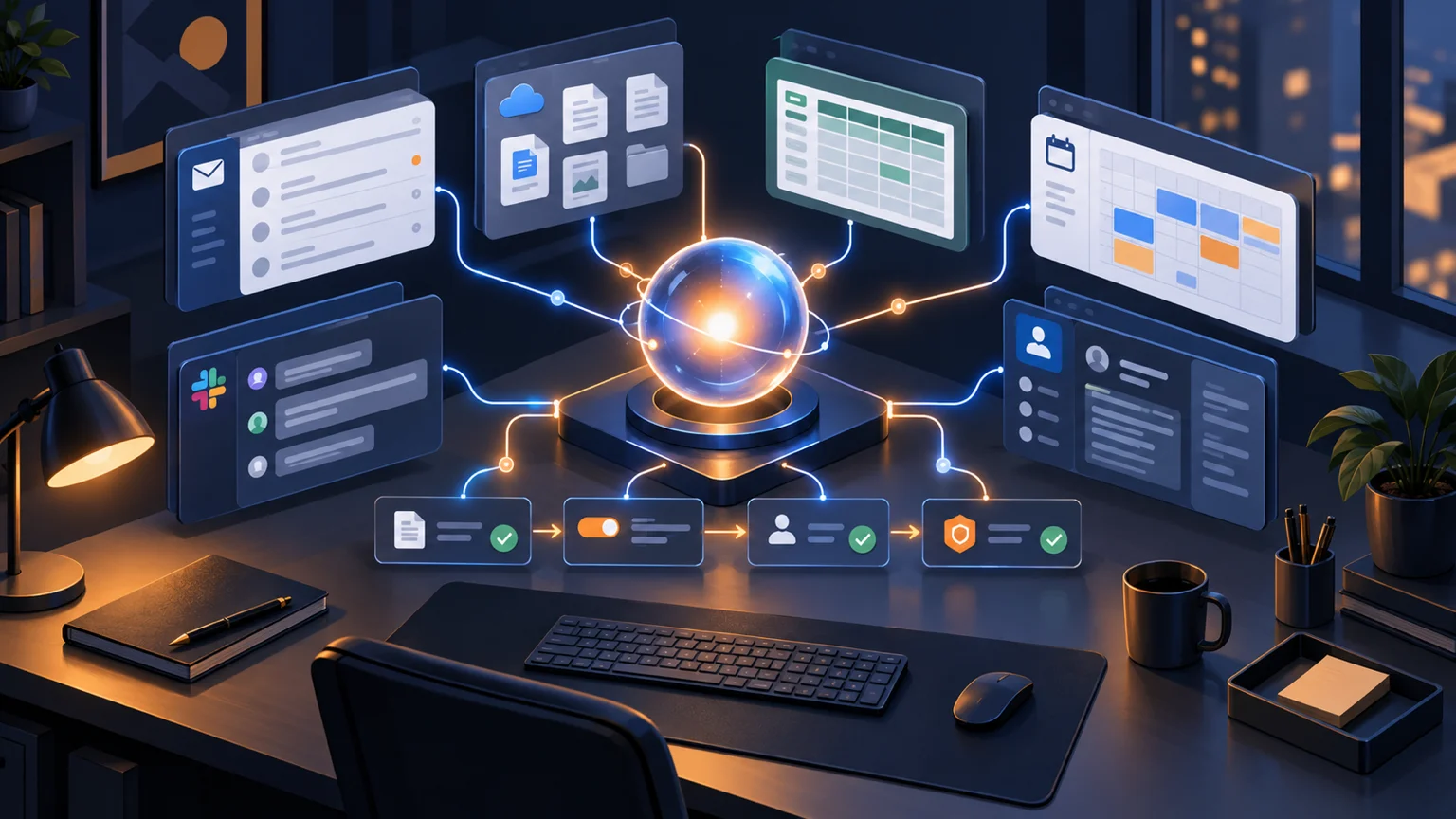
According to Google's October 2026 Gemini at Work announcement, Gemini agent is designed to plan work, use skills and tools, connect to business systems, and bring finished output back into the places people already work: documents, inboxes, and developer environments. Google also says it works inline inside Gmail, Drive, Docs, Slides, Sheets, Chat, and Calendar, carrying memory, skills, and controls across those surfaces.
The more interesting part is the architecture. Google describes persistent execution for work that can run for hours or days, multi-agent orchestration with temporary sub-agents, coworker agents with dedicated identities such as their own company email addresses, a tools registry, a skills registry, MCP server connectivity, model routing, spend caps, and enterprise governance. In plain English: the agent is not just writing a paragraph. It is becoming an operating layer between people and the software stack.
Why This Matters for Small Businesses
Small businesses usually do not need a universal enterprise agent on day one. You do not need 10,000 custom agents or a new governance department. But you do need to understand where the default workflow is heading. The software you already use will keep adding agents that can read files, watch events, draft responses, update systems, and ask for approval before taking higher-risk actions.
If your files are messy, your CRM fields are unreliable, your permissions are too broad, and your approval process lives in someone's head, a work agent will not fix that. It will make the mess move faster. That is why the practical takeaway is less glamorous than the announcement: prepare the business for connected automation before every vendor tries to sell you a connected agent.
This is the same pattern behind Google Workspace and Gemini, AI agent governance, and agent identity and audit trails. The tool changes. The operating discipline does not.
The Four Things To Prepare Before You Add Work Agents
First, clean up the source systems. Pick the systems an agent would touch first: Google Drive, Gmail, calendar, CRM, project management, support inbox, and billing. Then ask a blunt question: could a new employee understand what is current, what is archived, what is private, and what is safe to use? If the answer is no, the agent will struggle too.
Second, define what the agent is allowed to do. "Help with sales" is too vague. "Draft follow-up emails after demo calls, save them in Gmail, and ask the account owner before sending" is useful. OpenAI's workspace agent docs repeatedly emphasize write-action safety, shared connections, least privilege, and approval prompts. That is not legal boilerplate. It is the difference between an assistant and a liability.
Third, create reusable workflow instructions. Google calls these skills: modular instructions, knowledge, or workflows that teach agents how to perform repeatable tasks. Small businesses can start simply. Write down how you qualify a lead, summarize a meeting, escalate a support issue, prepare an invoice exception, or assemble a weekly operations report. If the process cannot be written down, it cannot be safely delegated.
Fourth, separate drafting from execution. Early agents should prepare work, not silently commit it. Let the agent draft the email, compile the report, identify missing CRM fields, or propose the invoice adjustment. A human approves the send, publish, customer update, refund, contract change, or payment action.
Want connected AI without the chaos?
We help small businesses map workflows, permissions, approval gates, and tool connections before agents touch live operations.
Book a Free Strategy Call →Three Workflows Worth Testing First
Post-meeting follow-up. This is the cleanest starting point because the input is obvious: meeting transcript, calendar context, CRM record, and project notes. The agent can draft a recap, extract decisions, propose tasks, and prepare a follow-up email. You approve the customer-facing message. For teams already using Google Workspace, the path is especially natural because the work already lives in Gmail, Calendar, Docs, Drive, and Meet.
Support triage. Let an agent read a new support request, classify urgency, find the customer record, draft a response, and suggest an escalation path. Do not let it issue refunds, promise custom work, or change account status without approval. This gives you speed without handing the wheel to an unsupervised system.
Weekly operations reporting. A useful agent can pull tasks, pipeline changes, support volume, overdue invoices, and marketing results into one plain-English summary. That is not flashy, but it saves real management time. Start with a read-only version. Once the report is reliable, add suggested actions.
The Controls That Matter Most
The control list is short and non-negotiable. Give agents dedicated identities where your tools support it. Use the narrowest permissions that still let the workflow run. Log every read and write action. Require human approval for customer-facing messages, financial changes, contract changes, account deletion, hiring decisions, and legal or compliance-sensitive work. Review failures weekly.
Also watch cost. Google specifically called out model routing and spend caps in its Gemini agent announcement. That matters because not every task deserves the strongest model. Classification, formatting, extraction, and routing can often run on cheaper models than strategic analysis or complex reasoning. If you do not define this up front, your AI budget becomes a surprise invoice with better branding.
What To Do in the Next 30 Days
Do not wait for the perfect agent platform. Pick one recurring workflow that already wastes time and has a clear approval point. Write the process in ten steps. Mark each step as read, draft, decide, or execute. Then choose one safe version to automate: read and draft only, with human approval before anything leaves the building.
If you already have a messy Google Drive or half-used CRM, start there. Clean naming conventions, owner fields, archived folders, and permission groups sound boring until an agent has to use them. Then they become the difference between useful automation and a very confident intern with access to everything.
The big vendors are not announcing "chatbots" anymore. They are announcing work agents with memory, tools, identity, permissions, and execution. Small businesses that prepare now will get the upside faster. The ones that do not will spend the next year wondering why their AI assistant keeps asking where the right spreadsheet is.
If you want a practical map for your first connected AI workflow, book a free strategy call at apolloagent.ai. We will help you choose the first workflow, define the guardrails, and decide what should stay human.