Here's a question worth asking honestly: what percentage of your team's week is actually spent doing the work — versus talking about it, updating boards about it, writing reports on it, and scheduling meetings to align on it? For most teams, that ratio is worse than they think. Asana's Anatomy of Work research has tracked this for years, and the consistent finding is that knowledge workers spend the majority of their time on what Asana calls "work about work" — coordination, status updates, duplication of effort, and communication overhead — rather than the skilled work they were hired to do.
AI doesn't fix bad strategy or broken team dynamics. But it is remarkably well-suited to eliminating the machine overhead that slows teams down: the status update nobody reads but everyone has to write, the meeting that could have been a summary, the task list that takes an hour to build from a two-paragraph brief. That's where the gains are — and they're bigger than most teams expect.
The Coordination Tax That's Silently Killing Your Output
Before you can fix a problem, you have to see it clearly. The coordination tax shows up in several predictable places:
- Status reporting: Someone on the team spends 2–3 hours each week aggregating what everyone's working on, what's blocked, and what shipped. This information exists in your tools. Pulling it out manually is pure overhead.
- Task creation from briefs: A client sends a detailed email or a Notion doc arrives with a project brief. A project manager reads it, interprets it, and manually creates 15–20 tasks in your PM tool. This is a solved problem in 2026.
- Meeting follow-through: You sit through a 45-minute project kickoff with clear decisions made. Two days later, half the room has different recollections of what was decided, and no tasks were ever created from it. The action items existed in the air — briefly — and then evaporated.
- Risk detection: A critical dependency slips by three days. Nobody flags it. The downstream deadline gets blown anyway. By the time it's visible as a problem, you're already behind.
According to Project.co's AI in project management survey, 58% of project managers say AI has measurably increased ROI in their business, and 68% report it's improved team communication. The striking part isn't that those numbers are high — it's that the teams seeing these gains aren't using exotic AI systems. They're using AI to eliminate the specific overhead points above, one at a time.
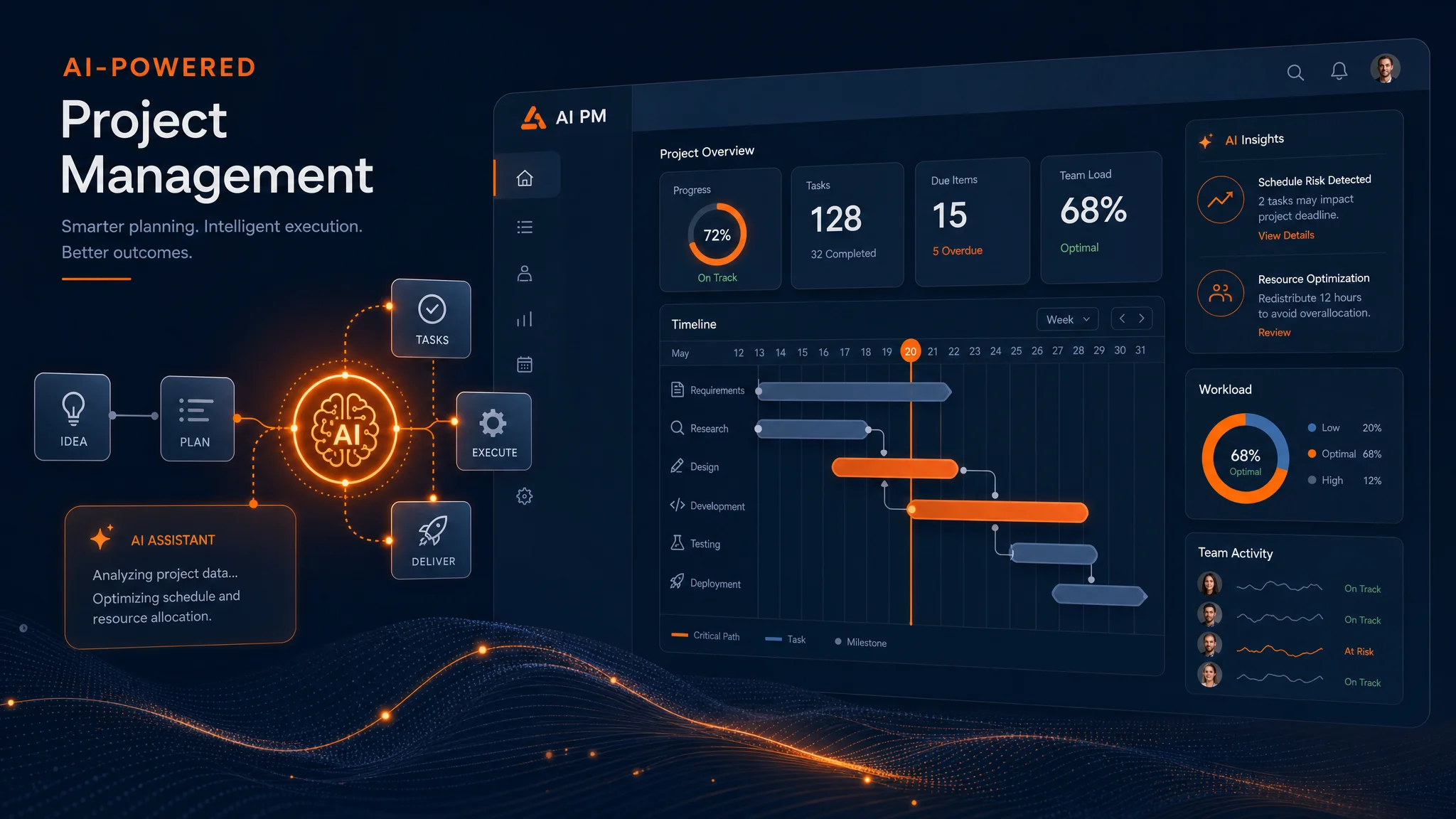
What AI Actually Does in Project Management
Let's be specific, because "AI for project management" is a category that contains a lot of noise. Here are the four places where AI is actually delivering consistent value for business teams right now.
1. Generating Task Breakdowns from Briefs
Give a capable AI model — Claude, GPT-4o, Gemini — a project brief, a scope of work document, or even a detailed email thread, and it will generate a comprehensive, sequenced task list with reasonable time estimates in about 30 seconds. You edit and approve; you don't start from scratch. For project managers who spend 60–90 minutes creating tasks manually for each new project, this is a meaningful time save that compounds across every project in your pipeline.
The better PM tools have this built in now. ClickUp's AI assistant can generate a task list from a typed description. Monday.com's AI can populate a board from a project summary. But you can also do this outside the PM tool — use Claude or GPT-4o in a simple prompt, copy the output into your tool of choice, and then connect everything with an automation layer.
2. Automated Status Reporting
The weekly status report is a management ritual that most teams tolerate rather than value. The information is already in your project management tool — task completion rates, blockers, what moved and what didn't. The act of a human reading that data and rewriting it into a report format is overhead you can eliminate entirely.
Using Make.com as the automation backbone, you can build a weekly workflow that pulls data from ClickUp or Asana, passes it to an AI model with a status-report prompt, and delivers a formatted report to Slack, email, or Notion — automatically, every Monday morning, without anyone spending time on it. The report is as good as the one written manually, and it takes zero human time to produce.
3. Meeting-to-Action-Item Pipelines
If you're not already using AI to convert meeting recordings into structured action items, this is the single highest-impact thing you can implement this week. Tools like Otter.ai, Fireflies.ai, and Fathom generate transcripts and AI-written summaries with identified action items after every meeting. The next step — which most teams skip — is connecting those action items to your PM tool automatically so they actually become tasks someone owns, with a due date, rather than bullet points in a meeting doc nobody revisits. We've covered this in depth in our guide to AI meeting automation.
4. Early Risk Flagging
Most project risks are visible before they become problems — if you're looking at the right data. A milestone that's sitting at 20% completion three days before its due date is a risk. A team member who's been blocked on the same ticket for four days is a risk. An external dependency that hasn't had activity in two weeks is a risk. AI can surface these automatically — scanning your project data on a schedule and flagging anomalies before they cascade into blown deadlines.
The Tools Actually Worth Using
The project management tool market has been aggressive about shipping AI features in 2025–2026. Here's an honest take on where the value actually is.
ClickUp AI
ClickUp's AI assistant is genuinely useful for task generation, document drafting, and summarizing thread discussions. It's embedded throughout the product rather than bolted on. The free tier has limitations, but teams already on ClickUp get meaningful AI capability without switching tools. Strong for: task generation from natural language, summarizing long comment threads, generating subtasks from a parent task description.
Monday.com AI
Monday.com's AI features focus heavily on workflow automation — using AI to suggest automations based on your usage patterns, and to help build complex multi-step workflows without needing to understand the automation builder deeply. It's the most polished AI integration in a traditional PM tool right now. Strong for: automation suggestions, AI-powered reporting, and generating board structures from a project description.
Asana AI
Asana's AI (branded as Asana Intelligence) focuses on risk detection and goal-to-task alignment — understanding whether the work being done is actually connected to the outcomes the team is supposed to be driving. Strong for: executive-level reporting, risk summaries, and teams that care about connecting daily task work to higher-level business goals.
Notion AI
Notion AI is most valuable if you're using Notion as both a PM tool and a knowledge base — which many small teams do. The ability to ask questions about your project docs, generate meeting notes, and turn documentation into task structures is genuinely useful when your context lives in Notion. Strong for: knowledge-work teams, agencies, and anyone who manages projects through documents as much as through task boards.
Make.com as the Connective Tissue
None of these tools operates in isolation, and the real power in AI-assisted project management comes from connecting them. Make.com is the automation layer that ties your PM tool, your meeting notes, your communication channels, your AI models, and your reporting together into workflows that run automatically. You can build a pipeline that takes a meeting transcript from Fathom, sends it to Claude for action item extraction, creates tasks in ClickUp, and notifies the relevant team members in Slack — with zero manual steps after initial setup.
Want us to build this for your team?
We design and build AI-powered project management workflows for small and mid-size business teams — from status report automation to full meeting-to-task pipelines. Book a free strategy call to see what's possible.
Book a Free Strategy Call →A Real Workflow: From Client Brief to Shipped Deliverable
Here's how this looks end-to-end for a small agency running client projects. This is a real workflow, not a hypothetical — the tools and steps are all available today.
- Client brief arrives — via email, a shared Google Doc, or a form submission.
- AI generates the task breakdown — a prompt takes the brief and produces a structured task list with dependencies, estimates, and assigned owners based on team roles.
- Tasks are created in ClickUp automatically — a Make.com scenario creates the tasks, assigns them, sets due dates, and notifies the team in Slack with a project kickoff summary.
- Kickoff meeting happens — Fathom records and transcribes. AI extracts action items and creates follow-up tasks in ClickUp. Meeting summary is posted to the project's Slack channel and the Notion project doc.
- Weekly status report runs automatically — every Monday at 8 AM, Make.com pulls ClickUp task data, generates a formatted status summary via AI, and posts it to the client's shared Slack channel. No project manager time required.
- Risk flags surface early — a daily scan flags any task that's behind schedule or blocked. The project manager gets a Slack message with the specific risks, not a wall of data to interpret.
The net effect: a project manager who was spending 6–8 hours per week on coordination overhead — task creation, status reports, meeting follow-up, risk tracking — is spending closer to 1–2 hours. The rest of their time goes to actual project work: client relationships, problem-solving, quality review, strategy. That's where the 30% throughput improvement comes from — not from AI doing the project work, but from AI eliminating the overhead around it.
For a deeper look at how this fits into a broader operational framework, see our guide on AI for operations managers — which covers process mapping, automation identification, and measuring efficiency gains across your whole operation.
What AI Still Can't Do in Project Management
The picture above is genuinely achievable, and it's not experimental — teams are running these workflows today. But let's be direct about the limits, because overpromising is a problem in this space.
Stakeholder management is still human work. AI can tell you that a milestone is at risk. It cannot negotiate with the client about scope, manage the political dynamics of a multi-team project, or calibrate how to deliver bad news to a key stakeholder. These require judgment, relationship knowledge, and human communication skills that AI doesn't have in the operational sense.
Scope definition is still human work. AI can generate a task list from a brief, but if the brief is ambiguous — which client briefs almost always are — the AI will generate confident-sounding tasks based on assumptions that may not match reality. A good project manager still needs to interrogate the brief, ask the hard questions, and define scope clearly before AI-generated structure will be useful.
Creative problem-solving when things go wrong is still human work. When a project hits a wall — a key deliverable is blocked, a technical constraint surfaces mid-stream, a dependency falls through — the path forward requires human judgment. AI can help you think through options, but the decision about how to adapt belongs to your team.
The framing that works here: AI handles the machinery of project management. You handle the judgment calls. When teams try to use AI to replace judgment, it fails. When they use it to eliminate the overhead around judgment, it works very well.
Where to Start This Week
If you're running projects now and haven't added AI to the workflow, here are three entry points ordered by impact and ease of implementation:
- Meeting automation first. Turn on a tool like Fathom, Otter.ai, or Fireflies in your next project meeting. Get the transcript and AI summary. See what it catches. This costs nothing and takes five minutes to set up. The follow-up step is connecting those action items to your PM tool — which you can do manually at first, then automate once you've validated the quality. Our AI meeting automation guide walks through the full setup.
- Automate one status report. Pick the status report that someone writes manually every week and takes the longest. Map out what data it uses. Build one Make.com scenario that pulls that data and generates the report automatically. One automation, one time saved per week, compounding indefinitely.
- Generate your next project task list with AI. The next time a new project comes in, before you start creating tasks manually, paste the brief into Claude or GPT-4o with a prompt like: "You're a project manager. Break this brief into a sequenced task list with time estimates and owners. Output as a numbered list." Compare what it generates to what you'd have created manually. Edit, refine, and import. You'll likely find it covers 80–90% of what you'd have created, in seconds.
The teams that are winning at AI-powered project management in 2026 didn't overhaul their entire process at once. They found one overhead problem, built one automation, measured the time saved, and then found the next one. If you want to understand how to measure that ROI rigorously — and build the business case for investing more — check out our guide to measuring ROI on AI investments, which includes the actual formulas.
The overhead is real, the tools are ready, and the competitive gap between teams using AI for project coordination and teams that aren't is growing every quarter. The good news: the starting point is a free meeting transcription tool and a 10-minute experiment with a brief. Start there.