The first wave of AI meeting tools solved a real problem: nobody wants to take notes while trying to run a useful conversation. But in 2026, that is no longer the interesting part.
The better question is: what happens after the meeting ends? If the answer is still "someone reads the summary, updates the CRM, creates tasks, writes the follow-up email, and reminds people what they promised," then you have not automated the meeting. You have automated the notebook.
Google Search Console is starting to show this shift in search behavior. People are not only looking for meeting recording transcript summary features anymore. They are looking for AI that does post-meeting work. That is a much better buyer-intent phrase, because it points at the real operational pain: meetings create commitments, and commitments need to become tracked work.
Meeting Notes Are Table Stakes Now
Modern meeting assistants can capture transcripts, identify speakers, summarize decisions, and pull out action items. Tools like Fireflies, Otter, Fathom, Zoom AI Companion, Microsoft 365 Copilot, Google Meet notes, Read AI, and other meeting-intelligence products have made that baseline normal. Some tools are better at sales calls. Some are better at internal collaboration. Some are best because they are already included in the stack you pay for.
That makes tool selection matter less than workflow design. A clean transcript sitting in another app is not an operating system. It is a source document. Useful, searchable, and much better than scattered notes, yes. But it still requires a human to convert the conversation into the systems your business actually runs on.
The product news is moving in the same direction. Microsoft 365 Copilot, Google Workspace, Zoom AI Companion, and dedicated meeting assistants are all competing to make meeting capture feel native instead of bolted on.
If you have not built the first layer yet, start with our AI meeting automation guide. It covers the core stack: transcription, summaries, action-item extraction, and basic routing. This article picks up where that one stops.
What Post-Meeting Work Actually Includes
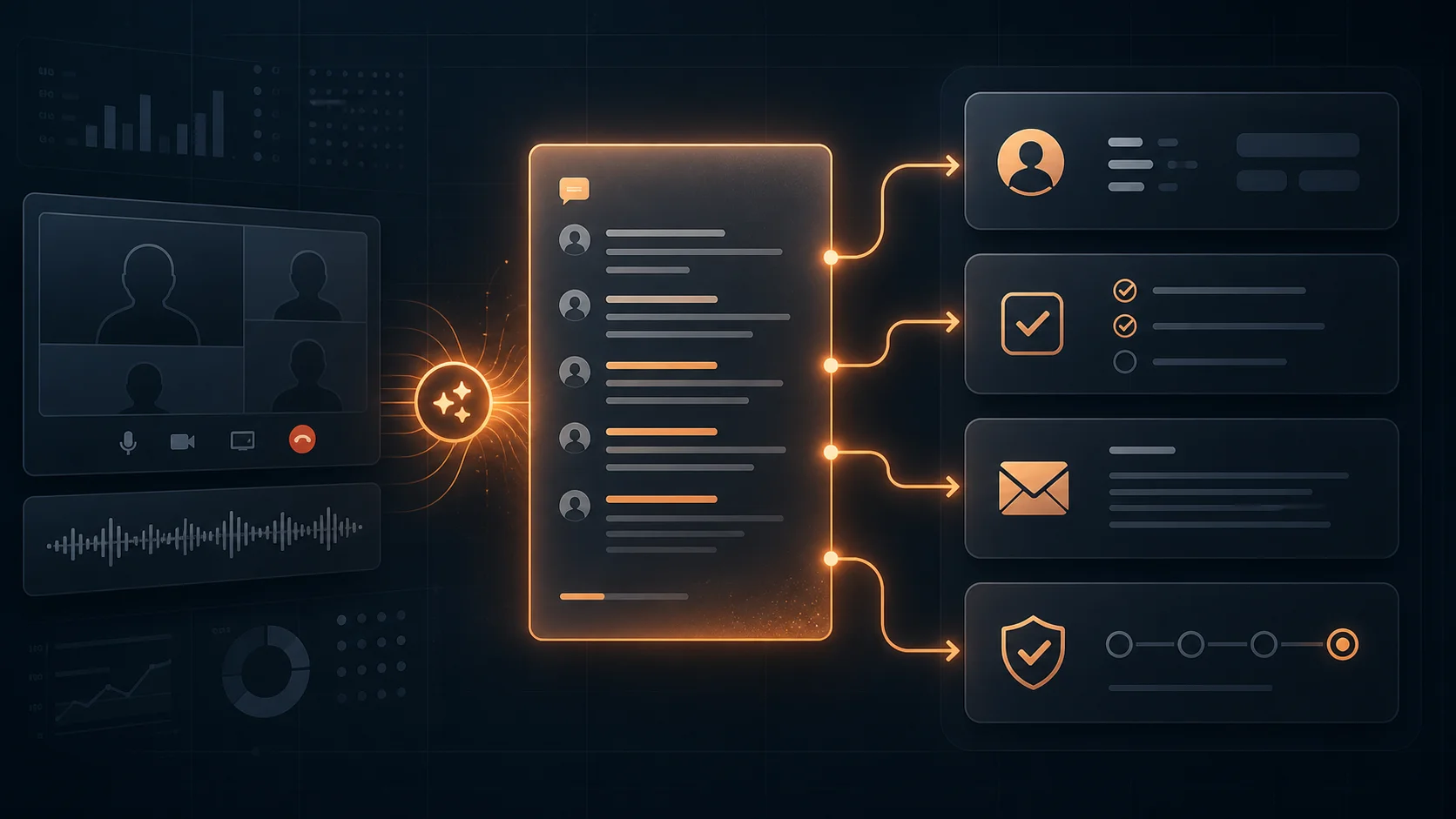
Post-meeting work is not one task. It is a bundle of small operational chores that happen after important conversations. In sales, that might mean CRM notes, opportunity-stage changes, a follow-up email, a proposal task, and a reminder to send pricing. In client services, it might mean a Slack recap, project-management tasks, a decision log, and a change-request flag. In recruiting, it might mean candidate scorecards, next-step reminders, and interview feedback routing.
The AI should not merely summarize the call. It should identify the category of meeting, extract the relevant entities, and route the right output to the right place. A sales discovery call and an internal project standup should not produce the same automation sequence. Different meeting types create different downstream work.
For most small businesses, the highest-value outputs are:
- CRM updates: contact notes, deal stage changes, next steps, pain points, objections, and buying signals.
- Task creation: owner, due date, project, priority, source meeting, and a short description pulled from the transcript.
- Follow-up drafts: a human-reviewed email or message that recaps decisions and lists next steps.
- Decision logs: durable records of what was approved, deferred, rejected, or assigned for later review.
- Approval gates: flags for anything that should not be auto-sent or auto-changed without a person checking it first.
The Workflow Stack That Makes This Work
A good post-meeting automation stack has four layers: capture, structure, route, and review.
Capture: Your meeting assistant records the transcript, summary, participants, timestamps, and action items. This can come from a dedicated meeting tool or from built-in workspace features like Google Meet notes or Microsoft 365 Copilot.
Structure: The transcript is converted into a predictable format: meeting type, account or project, key decisions, commitments, open questions, objections, action items, and suggested follow-up. This is where a generic summary becomes operational data.
Route: A workflow tool sends the structured output where it belongs. For many small businesses, Make.com is the cleanest choice because it can connect meeting tools, CRMs, project-management apps, Slack, Gmail, Google Drive, and approval steps without custom code.
Review: The system pauses before risky actions. Updating an internal task can be automatic. Sending a client email should usually be a draft. Changing a deal stage might be automatic for low-risk rules, but anything involving pricing, legal language, or a customer-facing promise should go through approval.
The practical trick is to keep the first version boring. Start with a narrow rule: when a sales discovery call ends, create a CRM note, draft a follow-up email, and create tasks only when the owner and deadline are explicit. Once that works reliably, add another meeting type.
If you are already experimenting with agents in the browser or across business apps, this is the same principle in a narrower, safer shape. Our guides on AI browser agents and workspace AI agents explain the broader trend. Post-meeting work is simply one of the most practical places to apply it first.
Want this mapped against your actual workflow?
We help teams turn meetings into tracked work: CRM updates, task creation, follow-up drafts, approval gates, and reporting. Book a free strategy call and we will identify the first automation worth building.
Book a Free Strategy Call →A Practical Sales Workflow Example
Imagine a small B2B sales team using Apollo.io for prospecting, HubSpot for CRM, Google Meet for calls, Gmail for follow-up, and Slack for internal coordination. The rep finishes a discovery call. The old workflow is predictable: copy notes into HubSpot, update the deal, write a recap email, create a proposal task, and maybe log the buying committee if there was time. Some of it happens. Some of it gets lost.
A post-meeting workflow handles that sequence automatically:
- The meeting transcript and summary are captured when the call ends.
- AI classifies the call as sales discovery and extracts company name, participants, pain points, budget hints, objections, next steps, and promised dates.
- The CRM gets a structured meeting note and a suggested next-step field update.
- A proposal task is created with the owner, due date, deal link, and transcript reference.
- A draft follow-up email is created in Gmail using only claims supported by the transcript.
- Slack gets a concise internal recap with the deal risk and next action.
- Anything involving pricing, discounting, legal terms, or a customer promise waits for human approval.
This is where the Apollo.io meeting recording transcript summary features query becomes useful guidance. Searchers are not only asking whether a product can summarize a call. They are trying to understand how call intelligence connects to prospecting, sales follow-up, CRM hygiene, and revenue operations. A post-meeting automation system answers the real business question behind the keyword.
The Guardrails You Need Before You Automate It
Post-meeting automation touches systems that matter. It can affect customers, sales forecasts, team priorities, and internal records. So the governance needs to be designed before the automation spreads.
Start with permissions. The workflow should only access the tools and fields it needs. If the system creates project tasks, it does not need billing permissions. If it drafts client emails, it does not need authority to send them without approval. If it updates the CRM, limit which fields can be changed automatically.
Next, define confidence rules. A task with an explicitly named owner and date can be created automatically. A vague statement like "we should probably revisit this next month" should become a review item, not a task assigned to someone by accident.
Finally, watch cost and noise. Meeting workflows can fire many times a day, especially in sales, support, and account management. If every transcript triggers a long chain of AI calls, CRM writes, Slack posts, and email drafts, you can create unnecessary spend and notification fatigue. Our guide on AI agent cost controls covers the approval gates, usage caps, and logging you should put in place before scaling this across the company.
How to Start This Week
Do not automate every meeting type first. Pick one meeting category that creates repeatable follow-up work and has clear business value: sales discovery, client status calls, onboarding calls, recruiting interviews, or project handoffs.
Then build the smallest workflow that removes obvious manual work:
- Choose the source: pick the meeting tool that already captures usable transcripts and summaries for that meeting type.
- Define the output: decide exactly what should be produced: CRM note, task, Slack recap, email draft, decision log, or all of the above.
- Add one review gate: require approval before customer-facing messages, pricing updates, legal claims, or deal-stage changes.
- Run five real meetings: compare the AI output against what a careful human would have done.
- Measure the time saved: track post-meeting admin time before and after, plus error reduction in your CRM or project tool.
Meeting notes are useful. Post-meeting work is valuable. Winners will be the ones whose conversations reliably become next steps, owners, deadlines, and decisions without dragging humans through administrative sludge afterward.