Sales reps spend 60% of their time on non-selling tasks. That's not a productivity problem — it's a math problem. If your quota-carrying people are spending most of their day researching prospects, manually updating CRM records, writing outreach emails from scratch, and chasing down stale follow-ups, they don't have enough hours left to close. And hiring more reps to fix a broken system doesn't work — it just scales the inefficiency.
According to a May 2026 Gartner survey, AI tools now save sellers an average of 4.8 hours per week. The catch: 72% of sales organizations still fail to reinvest that recovered time into high-value customer activity. The time savings are real. The results aren't, because most companies automate the wrong things in the wrong order. This guide is the blueprint for building an AI-powered lead generation system that actually produces pipeline — starting from scratch, step by step.
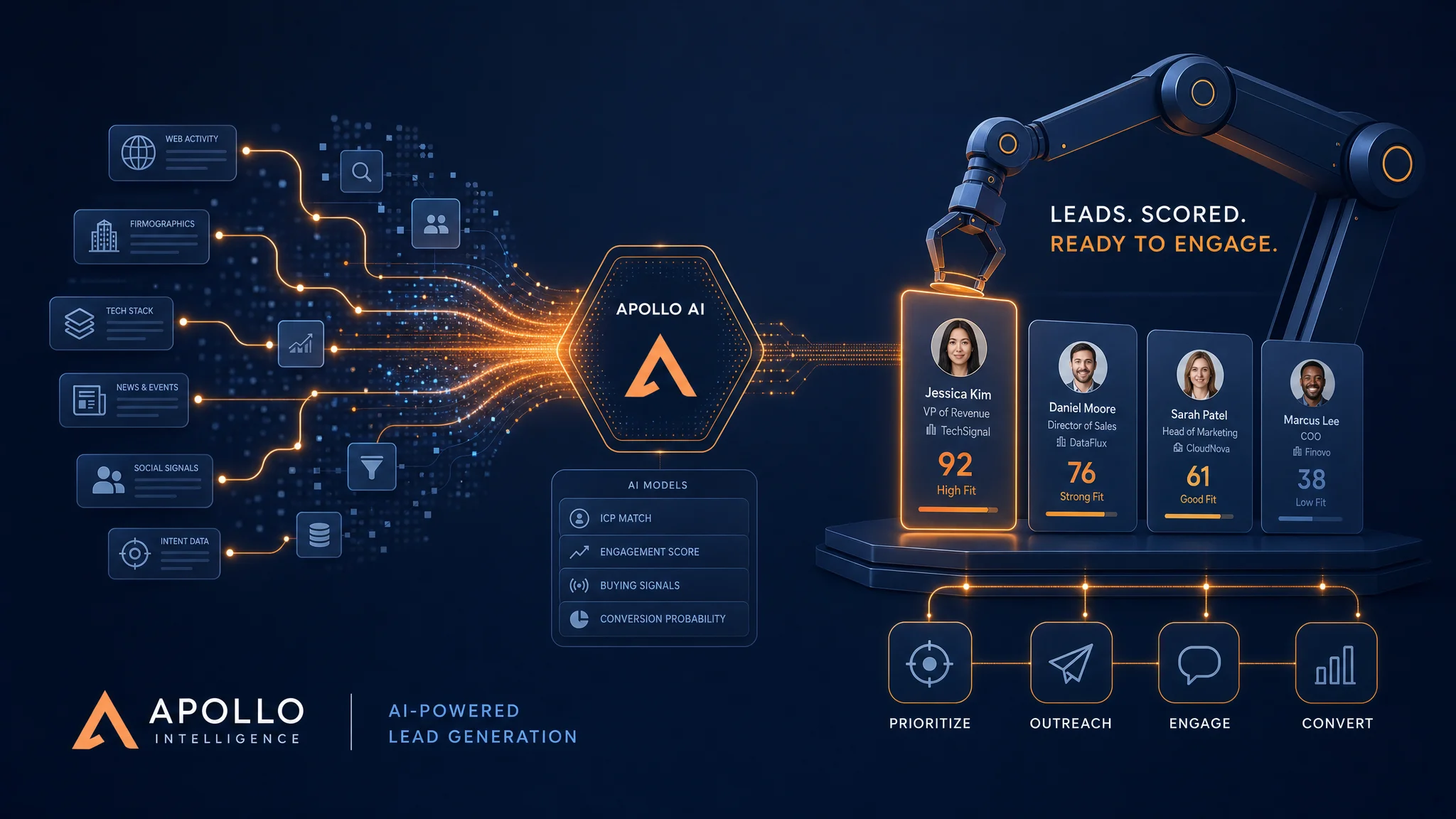
Why Most Lead Gen Systems Fail Before They Start
Most "AI lead gen" implementations fail for one of three reasons. First, they skip ICP definition and spray everyone — AI or not, garbage in means garbage out. Second, they automate outreach before they have enrichment, so "personalization" is just a first name field and a company name in the subject line, which everyone ignores. Third, they optimize for volume instead of quality, which generates hundreds of cold contacts who have no business buying from you.
The pattern I see most often: a business owner buys an automation tool, imports a contact list, fires off 1,000 cold emails in week one, gets a 0.3% response rate, and concludes AI doesn't work. What actually works looks fundamentally different. It starts narrow. It layers data. It runs as a repeatable weekly system — not a one-time blast.
Step 1: Define Your ICP (With AI's Help)
Before you touch a prospecting tool, you need a sharp ideal customer profile. And "B2B companies with 50–500 employees" is not a sharp ICP — it's a description of half the business population.
A working ICP includes five dimensions:
- Firmographic fit: Industry, company size (by headcount and revenue), geography, and business model (SaaS, services, product, etc.)
- Tech stack signals: What tools does your ideal buyer already use? This indicates budget range, technical sophistication, and integration fit — all of which predict whether they can actually use your product.
- Buying role and seniority: Who makes the decision? Who influences it? Who blocks it? Different outreach for each.
- Pain-to-problem fit: What does their org look like when they're experiencing the specific problem you solve? What are the visible symptoms — a recent hire in a certain role, a funding round, a technology migration?
- Negative ICP: Who looks like a fit but never buys? This saves more time than any other ICP component.
Use any capable AI model — Claude, GPT-4.1, or similar — to analyze your last 20 to 30 closed-won deals. Paste in CRM notes, LinkedIn profiles of the buyers, and post-sale call transcripts. Ask the model to identify patterns in company type, role, tech stack, and trigger events that preceded the sale. You'll produce a sharper ICP in two hours than most sales orgs develop in two years of gut-feel iteration.
Step 2: Build Your Data Stack
Once you know who you're looking for, you need to find them and fill in the details. This is where your data stack comes in. The practical stack for most small and mid-size businesses in 2026 has three layers.
Layer 1: List Building
Apollo.io is the starting point for most teams. It covers company and contact data, includes basic intent signals, and has a free tier that handles smaller prospecting volumes. It's not the deepest data source available, but it's the most accessible, and for ICP-filtered list building it does the job well.
Layer 2: Enrichment and Orchestration
Clay is where serious teams level up. It connects to over 75 data providers, runs waterfall enrichment — meaning it tries source A, falls back to source B, then source C until it finds a verified result — and includes built-in AI research agents that can visit websites, analyze LinkedIn profiles, and extract specific intelligence based on custom prompts you write. Building this enrichment manually takes 45 to 90 minutes per contact. A Clay workflow does it in under 90 seconds.
Layer 3: Account-Level Intelligence
LinkedIn Sales Navigator is worth adding if your ICP skews toward mid-market or enterprise. It's essential for mapping buyer committees — the five to eight people who influence an enterprise purchase decision — and for tracking job changes and company alerts that serve as outreach triggers.
The output you're building toward: a contact record with verified email, LinkedIn URL, current role and tenure, company size, tech stack, recent company news, and any intent signals indicating they're actively researching your category. This level of data is what makes personalized outreach feel genuinely personal rather than mail-merged.
Step 3: Enrich, Score, and Route
Data without prioritization is noise. Once your enrichment workflow is running, you need a scoring model to separate the contacts worth calling today from the ones that go into nurture.
A straightforward scoring framework that works in practice:
- Firmographic fit (0–5 points): Industry match, company size match, geography, revenue band, and business model alignment — one point per dimension
- Intent signals (0–5 points): Category intent data (+5), competitor research signals (+3), relevant content engagement (+2)
- Trigger events (0–3 points): Job change in past 90 days (+3), recent funding announcement (+2), technology migration signal (+2), LinkedIn activity indicating relevant pain (+1)
Contacts scoring 10 or above go to the high-priority outreach queue. Scores of 6 to 9 enter an automated nurture sequence. Below 6, they get tagged and revisited quarterly. You can build this scoring logic directly inside Clay, then route results through Make.com into your CRM — automatically creating tasks for high-priority leads with no manual routing required.
Step 4: Automate Your Outreach Sequences
This is where most guides oversimplify. Automated outreach doesn't mean setting up a drip sequence and walking away. It means using AI to create messages that are specifically relevant to each recipient — because the data behind them was specifically researched for that recipient.
The outreach structure that consistently performs:
Touch 1 (Day 1): Personalized Email
Use your enrichment data plus an AI writing step to generate a custom opening paragraph for each contact. A Clay formula or a Make.com AI module can pull in a recent company announcement, a relevant pain point from their tech stack, or a competitor they've been researching, and draft a specific opener. The rest of the email can be templated around your value proposition, but the first three sentences should be unmistakably specific to this person at this company right now.
Deliverability matters as much as personalization. Send from a properly configured domain — Google Workspace with SPF, DKIM, and DMARC configured — and warm new sending domains for at least four weeks before full-volume outreach. Cold email that hits spam folders is indistinguishable from no email at all.
Touch 2 (Day 3): LinkedIn Connection Request
Short, no pitch. A one-line note referencing your reason for connecting — something specific to their role or company, not a template. The goal is to get the connection, not to sell in the request.
Touch 3 (Day 7): Value-Add Follow-Up
Reference the first email briefly. Lead with a specific insight, example, or resource relevant to their situation rather than restating your pitch. For the kind of specificity that resonates, see our case study on the 12-person agency that cut admin work by 60% — that level of concrete detail is what converts a cold follow-up into a conversation.
Touch 4 (Day 14): Break-Up or Referral Ask
Keep it short. "Not the right time — who else on your team might be?" is often more productive than another pitch attempt. This touch also surfaces contacts who are interested but have been too busy to reply.
Want us to build this system for you?
We design and deploy AI-powered lead generation systems for small and mid-size B2B businesses — from ICP definition and data enrichment to automated outreach and CRM integration. Book a free call to see what your stack could look like.
Book a Free Strategy Call →Step 5: The Weekly Rhythm That Compounds
A lead gen system without a cadence is a campaign. Campaigns end. Systems compound. The difference between businesses that get lasting results from AI-powered prospecting and those that get a short-term bump is whether they've built a repeatable weekly rhythm around their automation stack.
Here's what that looks like in practice:
- Monday (30 minutes): Review the new leads that hit your scoring threshold over the past week. Spot-check enrichment quality on 10% of records — this catches data errors before they reach your sending queue. Approve or adjust the outreach queue for the week.
- Wednesday (20 minutes): Review reply data. Route positive replies to the appropriate salesperson or calendar booking flow. Categorize negative replies — wrong person, wrong time, no interest — because each category tells you something different about your ICP or messaging.
- Friday (20 minutes): Review sequence performance metrics: open rate, reply rate, positive reply rate, meetings booked. If open rates are strong but reply rates are weak, your opener works but your value prop doesn't. If open rates are weak, your subject line or sender reputation needs work. Small adjustments here compound significantly over months.
This entire weekly review takes 70 minutes. Compare that to what a manual prospecting workflow at the same volume would consume. Once you understand the leverage available here, it becomes difficult to justify doing it any other way. For a broader framework on automating operations like this, our guide on AI for operations managers covers how to map and prioritize automation opportunities across your business.
What This Looks Like in Practice
Here's a representative picture from B2B professional services implementations we've seen: a 12-person firm running manual outbound had one person spending 15 to 20 hours per week on list-building and contact research. Their cold outreach meeting-booked rate sat around 4 to 5% — not bad, but capacity-limited by how much their one researcher could actually process.
After building an AI-powered lead gen system with Apollo.io for list sourcing, Clay for enrichment and scoring, Make.com for CRM integration and workflow orchestration, and AI-personalized outreach via their email platform:
- List building and enrichment: from 15–20 hours/week to 2–3 hours/week
- Enrichment quality: more consistent, with verified email and intent data on 85%+ of contacts vs. roughly 50% manually
- Meeting-booked rate: improved from ~5% to 11–13% within 90 days (more specific messages to better-qualified prospects)
- The person previously doing list research shifted their time to managing and responding to inbound conversations — a fundamentally more valuable use of their week
The system didn't eliminate the human element. It made the human element dramatically more effective by removing the low-value research and routing work that shouldn't require human judgment in the first place. This is the pattern that repeats across every industry: not AI replacing people, but AI absorbing the work that drains people so they can focus on the work only people can do.
If you want to build something similar — or you're not sure where to start given your current tools and team — our guide on building your first AI automation covers how to pick the right starting point without overcomplicating the first implementation.
The businesses that compound their pipeline in 2026 are the ones that build systems, not campaigns. Sharp ICP, good data, disciplined enrichment, specific outreach, a weekly rhythm. That's the whole formula. None of it is magic. All of it is learnable. The question is just how long you want to wait before you start.